One app for students & parents.
Students and parents — connected around one goal.
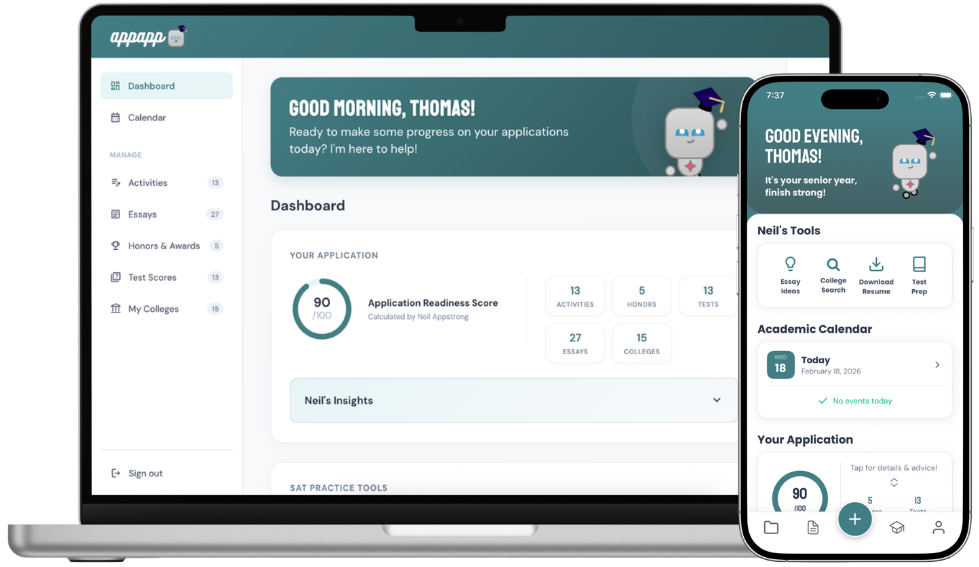
Who it's for
Two Accounts, One Goal.

Students Build & Own Their College Profile
Build your profile, track activities, write essays, and manage your full college list.
Learn more
Parents Get a Real-Time Window Into Progress
See your student's progress in real time. Comment on essays and stay informed.
Learn moreWhat's inside
Three pillars, for every student.
Study
Full SAT prep, score tracking, and a plan to raise them.
Test score tracking · Full-length practice tests · SAT question bank
Story
Essays, activities, and awards that show off who you are.
Essay editor built for college essays · Activities list · Awards & honors
Strategy
Your list, your deadlines, and Neil when you’re stuck.
College list & search · Application calendar · Chat with Neil (AI)
How accounts connect
Student creates their profile
Sign up and start building.
Student generates an invite code
Found in profile settings.
Parent signs up and connects
Enter the code to link.
Linked accounts get limited access
View and comment.
Student stays in control
Adjust or remove access anytime.
A parent can cover the subscription
$18/month, ending automatically on the student's Decision Day.
Students are always in control.
Parents only see what the student chooses to share. Access can be revoked at any time.

Ready to get started?
Create a free account and explore the tools built for your role.
$18/month, about $4.50/week — and it cancels itself on Decision Day. Or pay once and keep it forever.